Archive for June, 2009
Symfony and Modalbox
ModalBox is a cool inline-popup script that can be used to create interactive Web 2.0 dialogs. Modalbox uses the Prototype javascript framework, which is coincidentally the same that Symfony uses for its included Javascript and Ajax functions.
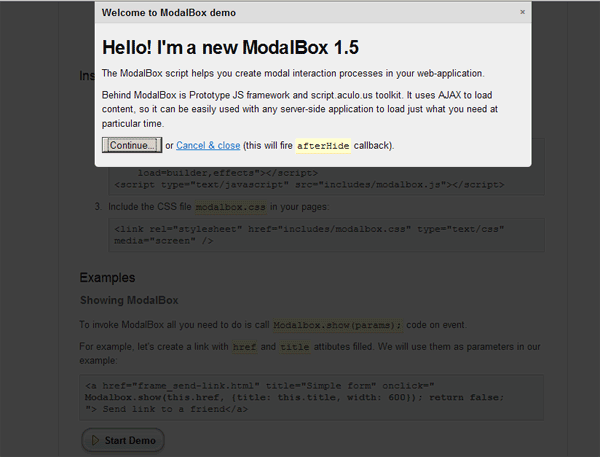
Unfortunately Modalbox uses a more recent version of Prototype, and there is no track on when we can expect Symfony to upgrade it’s included version of Prototype. However, this doesn’t prevent us from using Modalbox in a Symfony development. We do have to trick symfony into using the correct Propel version for us. Once Symfony updates their Prototype version, using modalbox should become substantially easier.
To start out we need to download modalbox, and upload the newer prototype, scriptaculous, and modalbox.js scripts to our web/js directory.
Querying with Propel Criteria using “NOT IN” (criteria::not_in)
It’s fairly common to use “NOT IN” database queries in web development.
Symfony when using Propel does not have native support for using NOT IN queries in reference to another tables. You can use NOT IN and an array, but cannot use NOT IN with reference to another table.
Here’s how to use NOT IN other_table with Propel and Symfony. Let’s pretend we need to run this query.
SELECT * FROM my_table_1 WHERE id NOT IN (

SELECT id FROM my_table_2);
Using Propel and Criteria, there is no native way of running this query. But, with the Criteria::CUSTOM modifier, we can force this query through propel.
It’s actually very easy.
$c = new Criteria; /* Example query $not_in_query = 'my_table_1.id NOT IN ( SELECT id FROM my_table_2)'; */ $not_in_query = '%s NOT IN ( SELECT %s FROM %s)'; $not_in_query = sprintf( $not_in_query, MyTable1Peer::ID, MyTable2Peer::ID, MyTable2Peer::TABLE_NAME ); $c->add(MyTable1Peer::ID, $not_in_query, Criteria::CUSTOM); $result = MyTable1Peer::doSelect($c); |
You can add whatever other Criteria to the query as well. So far this is the only reliable way to run these sort of queries that I’ve found.
Multi process / thread PHP execution
UPDATE– I’ve created the official PHP Multi-process script page. Further updates, the usage manual, and other information about PHP Multi-process will be found here.
I’ve run into the problem of needing to use multiple processes with a php script on multiple occasions. Most notably, I have some very complex data processing scripts that take several minutes to complete. If I can break these up into several parts and run them all at the same time, the execution time can be greatly reduced.
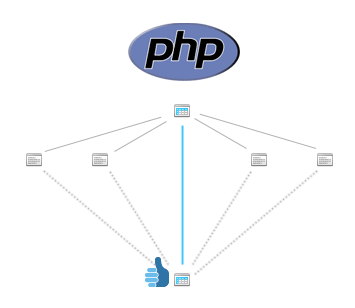
There are several methods of running additional processes with php. pcntl_fork is a great way to do it, but it requires php to be running as a cgi module rather than through apache as most web hosts do.
This is a script of how to fork multiple processes on a server running PHP through apache. These process will all run concurrently, and the parent will wait to exit until all of the child processes have completed.
PHP Tutorial – Forking using wget or php cli in the background
I see a lot of people asking on how to use a fork to run a php script or web page in the background.
Here’s a quick script I created using linux’s wget to run another process in the background. You could use this to automatically upload something to another server, or just about anything that needs to happen after a user action.
Note: you must have exec enabled for this to work. This is a security risk, so make sure you know the potential damage that can be done by enabling exec, and by the script that you are running. Make absolutely sure to sanitize any input being transferred to the executed script.
In my case, I needed to initiate a file upload to a remote server after a certain action was taken. Because of the nature of the upload, it would have taken about 30 seconds before displaying any response to my user, which is an unacceptable delay.
First, make the script that needs to run in the background.
**UPDATED** Adding Google Business search to your ecommerce website
**UPDATED**
This is an updated version of the script. It now resides on only a single page and should be less confusing to put into a website. Please feel free to use this script as a base and customize as you like.
Sign up for a business site search account here: http://www.google.com/sitesearch/index.html
The internet is abuzz with news of Google’s new business custom search engine. Google is allowing business sites to have their own custom search engine for $100 per year (<5,000 pages) or $500 per year (up to 50,000) pages. This includes some cool reporting and an XML API so that you can customize to your heart’s content.

After messing around with Google’s javascript code I decided to write my own little script to better integrate it into my website. The javascript code was giving me some major problems with the width of my pages, so I canned it and went to their XML version of the search function.
The following is a very simple php & html script that you can use for your own Google business search engine. It was made for a php5 server as it uses the built-in simpleXML class. Upload this to your website, enter your account id, and make a form to post to it. That’s it!